OPC UA
The OPC UA tab allows you to enable and configure an OPC UA server interface, as shown in Figure 1. You can find more information on how to use OPC UA in the OPC UA section of this guide.
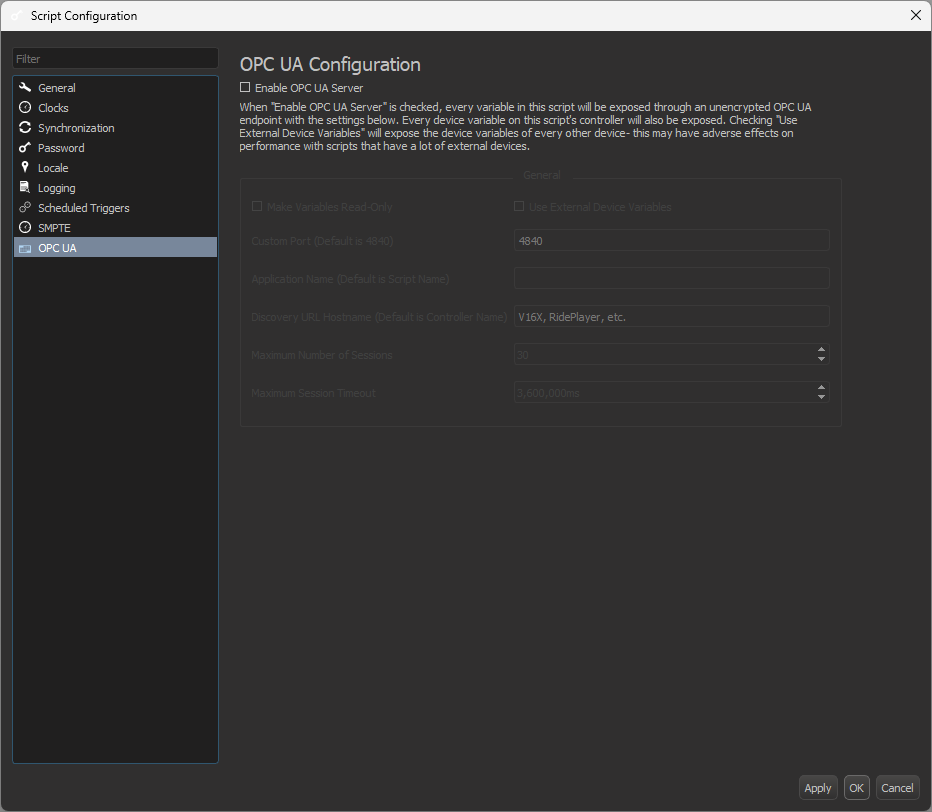
Configure OPC UA Server
When the OPC UA server is enabled, the options appear as shown in Figure 2.
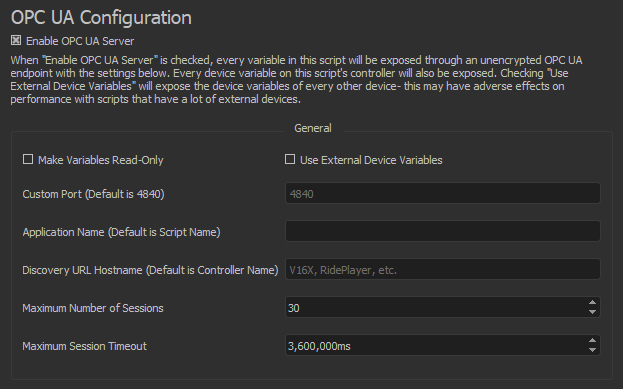
- Make Variables Read-Only: when checked, there will be no write permissions on any of the nodes representing the show variables. However, the show variables will still be writable from the script.
-
Use External Device Variables: this will expose the device variables of every device in your script in addition to the ones on the show controller that are enabled by default. For example, if you are running a V16X script that has a BinloopX device added, all of the BinloopX device variables will also be exposed on this OPC UA server.
Warning
If you have a script that already contains a large number of devices, it is NOT recommended to enable this option. Doing so may hinder performance from using too many device variables.
-
Custom Port: by default, many OPC UA servers listen on TCP port 4840. If needed, you can change that port here.
- Application Name: this option directly corresponds to the applicationName parameter in the ApplicationDescription structure. This will appear as the descriptive name of this OPC UA server when connecting to its discovery service.
- Discovery URL Hostname: the text in this box corresponds to the hostname part of this server's Discovery URL. For example, if this parameter is set to "AlcornController" and the port setting is configured to 4840, then the discovery URL of this device will be opc.tcp://AlcornController:4840/. This setting will NOT actually set the hostname of your controller. It will only change what this server reports its Discovery URL to be. The default value of this is the name of the product (V16X, RidePlayer, etc.) on which your script is running.
- Maximum Number of Sessions: this setting configures the maximum number of client sessions that may be connected at the same time on this server. This setting's absolute minimum is 0 and the absolute maximum is 30.
- Maximum Session Timeout: this setting dictates the maximum amount of time the server will wait to terminate a client's session if the client stops sending session requests. The default value is 3,600,000 ms, or 1 hour.