Introduction
ShowTouch is a complete touch panel interface software that runs on macOS and Windows. ShowTouch is also a line of hardware products we sell that run the ShowTouch software. All of these panels are designed using WinScript Live.
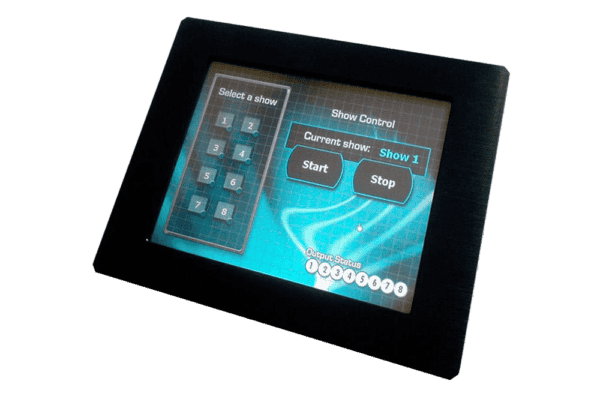
ShowTouch Software
The ShowTouch software is available on multiple platforms, such as:
- ShowTouch for Windows and macOS
- Our ShowTouch panel hardware in 7", 10", and 17" models
- ShowTouch for iOS
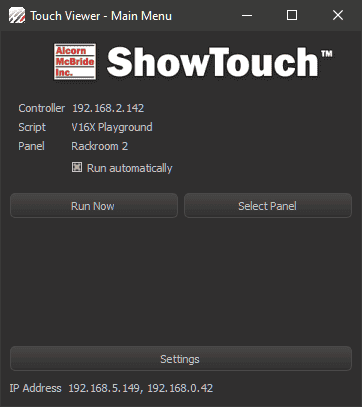
The ShowTouch software comes installed with WinScript Live. You can access it from your Windows Start Menu or MacOS Applications menu, and you can also launch it from within WinScript Live by clicking Tools, then ShowTouch in the menu.
ShowTouch can load Panels directly from the controller running your script. Multiple ShowTouch connections can be made to each controller for distributed control and for display of different Panels or logs.
iOS
The ShowTouch iOS app works on iPhone and iPad devices. Download from the Apple App Store here.
PC
ShowTouch can run on any Windows or macOS computer. It automatically remembers the settings used to connect to your desired panel.
ShowTouch Hardware
Alcorn McBride offers several ShowTouch hardware models. For example, the ShowTouch 10" is a touchscreen enabled Panel PC that can be mounted in a rack, on a wall, or on a desktop stand.
ShowTouch hardware is easy to use and ready-to-go straight out of the box. It can be used to control and monitor any Alcorn McBride show controller. You can connect multiple ShowTouch panels to the same network and use them to interface with the controller from throughout your facility.
ShowTouch is the most powerful and flexible interface available that integrates seamlessly with our show control products. Like all Alcorn McBride products, ShowTouch is designed to run 24/7. The hardware has no moving parts to wear out so it can be mounted just about anywhere while still providing a reliable and stable interface.